
Flexible package for your needs
Pick your own tester count (1–20) and testing duration (3–30 days) with sliders and instant pricing. Quick, Standard, and Full (12 testers × 14 days) presets are ready if you want the Google-aligned setup.
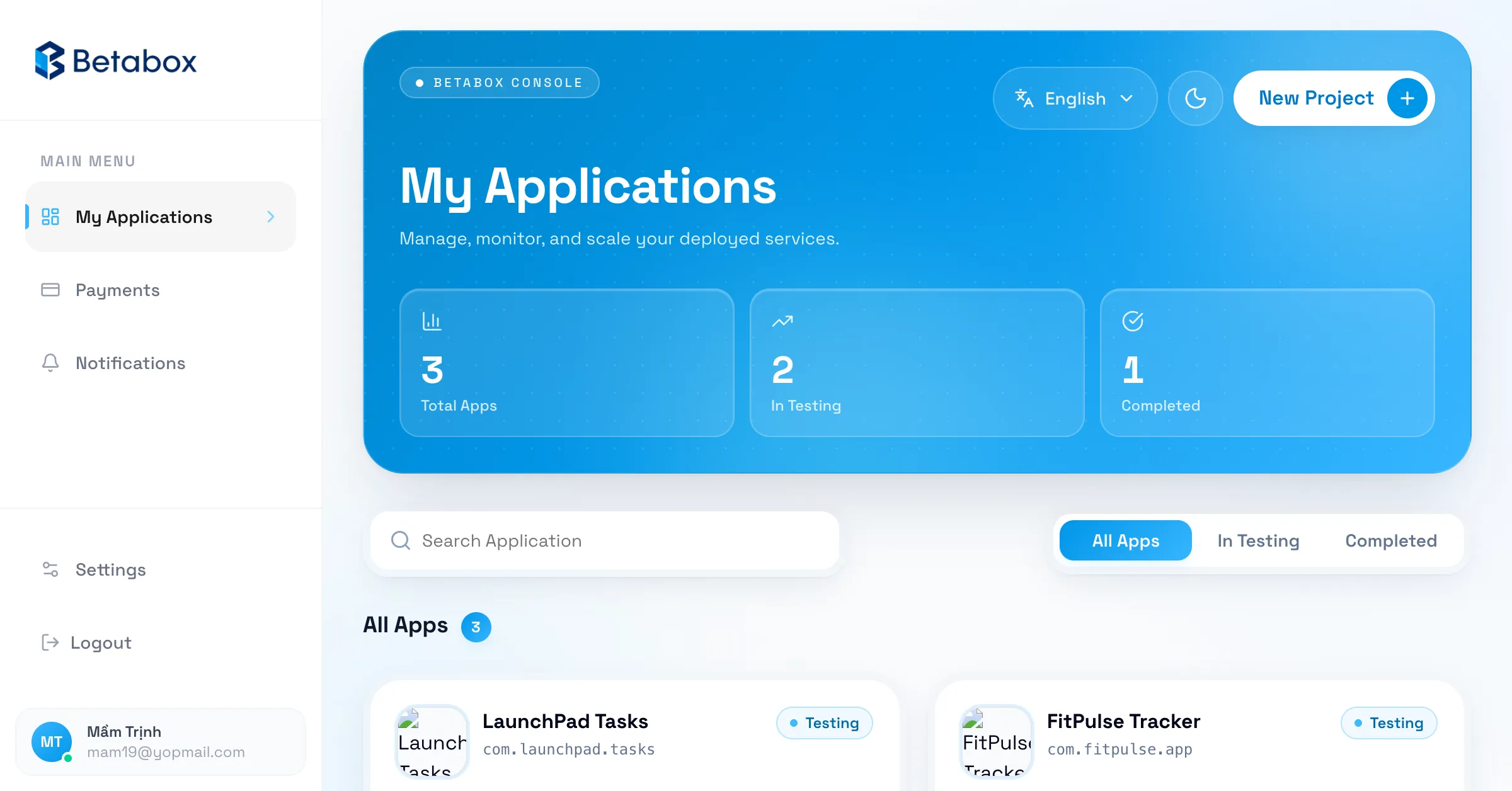
BetaBox helps indie developers, startups, and agencies handle Google Play closed testing with testers on real Android devices. Choose your own tester count and testing duration, track progress in a dashboard, and get clear testing evidence.
From just See pricing / campaign
Pick your own testers & days — pricing updates instantly
Google Play requires new personal developer accounts to run closed testing with at least 12 testers for 14 days before applying for production access.
Product
Choose a package (testers × days), create the app, pay, assign devices, track progress, and collect feedback in one workflow instead of coordinating everything by hand.
Strengths
Pick your own tester count (1–20) and testing duration (3–30 days) with sliders and instant pricing. Quick, Standard, and Full (12 testers × 14 days) presets are ready if you want the Google-aligned setup.
BetaBox coordinates physical Android devices with managed Google Play accounts so closed testing produces real usage signals, not empty installs.
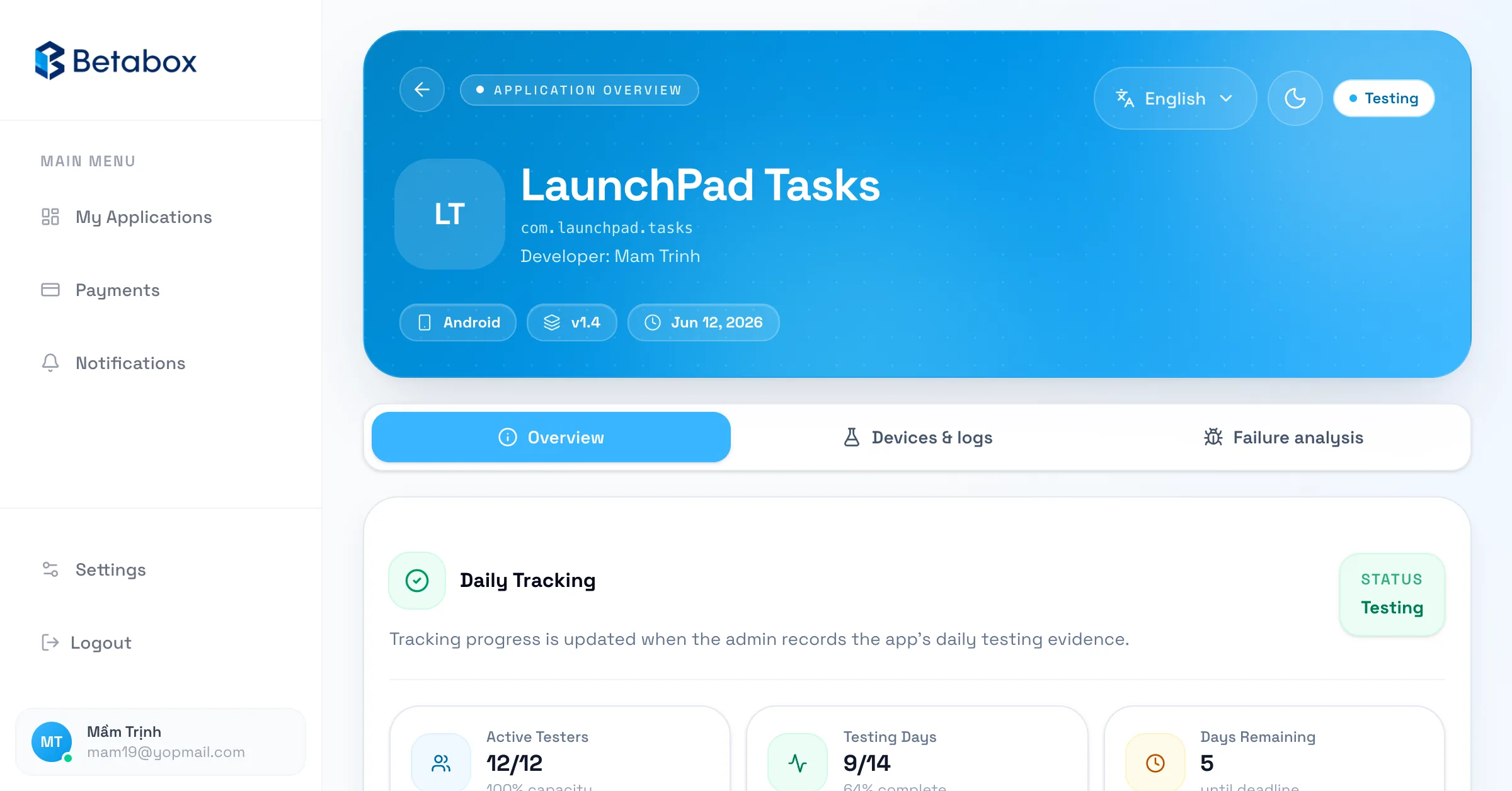
The dashboard shows app status, assigned testers, remaining days, and recent activity — matching the exact tester count and duration you rented.
Review each device's daily testing with screenshots, video, logcat, and IP so you can prove real usage and build a transparent production access record.
A dedicated analysis tab aggregates failed runs, crash signals, and related logs so you can pinpoint issues, fix fast, and keep the campaign going.
Manage multiple apps, submit and review feedback, get real-time status notifications, pay with PayPal/SePay plus coupons, and look up your transaction history.
Workflow
The workflow reduces repetitive developer work while keeping enough context to handle login-gated apps, crashes, and new builds.
01
Pick the tester count and duration that fit, enter the package name, testing URL, and login details if needed, then pay with PayPal or SePay.
02
Testers are assigned to real devices, the app is installed, and activity is monitored every day throughout the closed testing cycle you chose.
03
Track progress, device logs, and failure analysis in the dashboard, and receive operating evidence for a more confident production access request.
Service package
Pick your own tester count (1–20) and testing duration (3–30 days) with instant pricing. Apply coupons, pay with PayPal or SePay, and track your transaction history from your account.
Feedback
"I no longer had to ask people one by one to install my app. BetaBox puts the test cycle into a dashboard, which makes tracking much easier."
Linh Nguyen
Indie Android developer
"The best part is the clear evidence. When a tester hit a login issue, the team responded quickly and I fixed it the same day."
Minh Tran
Founder, productivity app
"The app creation and payment flow is tidy enough for agency clients. We do not have to explain closed testing from scratch every time."
An Pham
Mobile agency lead
FAQ
No. BetaBox commits to a clear closed testing process with real testers, real devices, and complete evidence. Google Play makes the final production access decision.
You need an app on the closed testing track, a testing URL, package name, and login details if the app requires an account. If you are unsure, support will guide you.
The dashboard and operations team record related errors, logs, or screenshots so you can fix them. After a new build is available, the campaign can continue based on the real status.
Contact
If you are unsure how many testers you need, whether login access matters, or where Play Console is blocking you, send a short note. Support will respond with app-specific guidance.